Archived Server
This server has been retired and is no longer active.
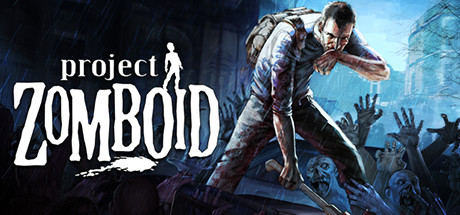
Project Zomboid
⚡ Essential Info
| Game | Project Zomboid |
|---|---|
| Mod Collection | On Steam Workshop |
| IP | join.gameserver.cashewmade.com |
| Port | 54679 |
| Status | Check live status |
🎮 How to Join
- Install Project Zomboid on Steam.
- Open the mod collection, click
Subscribe to All→Overwrite My Subscriptions→Yes, and wait for the download to finish. - Launch the game, go to
Mods, Enable all collection mods. -
From the main menu, click
Join, then fill in Add to Favorites on the right side:- Favorite Name - Anything, e.g.
Cashew - IP -
join.gameserver.cashewmade.com - Local IP - Leave blank
- Port -
54679 - Server Password - Ask an admin
- Account Username / Password - Create your own in-game account
- Favorite Name - Anything, e.g.
-
Click Save, then double-click the server to connect.
High latency?
If the game play is laggy, you can try Use Steam Relay in Connection Options.
📌 Server Brief
This is our private Project Zomboid server for playing around with friends. It uses a small Steam Workshop collection to make the game more enjoyable, a little easier to get into, and better for casual group play.
- Play together. Explore, build, loot, and make questionable survival plans as a group.
- Keep mods matching. Use the shared collection and avoid extra gameplay mods.
- First joins can be slow. Modded Zomboid may take a little while to load after updates.
🛠️ Common Issues
Cannot Find or Connect to the Server
- Check the server status first.
- Double-check the IP and port from Essential Info, Leave Local IP blank.
- Make sure you have the correct server password.
- If the first join fails, wait 1 minute and try again. The server may have been asleep.
Workshop Item Version Is Different
- Close Project Zomboid.
- Open Steam and let all downloads finish.
- Re-open the mod collection, click Subscribe to All → Overwrite My Subscriptions → Yes.
- Restart Steam, then launch the game again.
Mods Are Missing or Not Showing
- Check Steam → Downloads and wait until all Project Zomboid Workshop downloads finish.
- Restart Steam if downloads are stuck at
0 B/s. - Open the mod collection and confirm you are subscribed to every item.
- Launch Zomboid again and check Mods before joining.
Stuck on Loading or a Black Screen
- Wait a few minutes on the first join after a mod update. Zomboid can be dramatic about loading.
- Restart the game if it never moves after several minutes.
- If it happens every time, tell an admin. It may be a broken mod or server-side map issue.
Lag, Rubber-Banding, or Delayed Actions
- Check the server status to see if it is having a rough moment.
- Lower Render Distance and Lighting Quality in Options → Display.
- Close browsers, launchers, or other heavy background apps.
- Enable Use Steam Relay in Connection Options if the connection feels unstable.
- If everyone is lagging at the same time, ping an admin instead of repeatedly reconnecting.